 Slenix
Veil
Introduction
Veil is the official authentication starter kit for the Slenix Framework. Inspired by Laravel Breeze, it scaffolds a complete authentication system in seconds — login, registration, protected routes, settings, and beautiful views — all ready to customise.
Veil is a code generator, not a runtime dependency. When you run the installer, it copies controllers, middlewares, models, views, CSS assets, and migrations directly into your project. You own every generated file from day one. Once scaffolding is complete, the package has zero runtime overhead.
Requirements
| Dependency | Version |
|---|---|
| PHP | >= 8.1 |
| Slenix Framework | >= 2.5 |
Installation
Install the package via Composer:
composer require slenix/veilThen run the installer via the Celestial CLI:
php celestial veil:installThe installer copies all stubs into your project, publishes CSS assets to public/css/, and appends authentication routes to routes/web.php. A confirmation is printed for each file published.
To overwrite files that already exist, pass the --force flag:
php celestial veil:install --forceAfter installation, run the migration to create the users table:
php celestial migrateThen open your browser and visit /login or /register.
What Gets Generated
Running veil:install adds the following files to your project:
app/
├── Controllers/
│   ├── AuthController.php
│   └── DashboardController.php
├── Middlewares/
│   ├── AuthMiddleware.php
│   └── GuestMiddleware.php
└── Models/
    └── User.php

views/
├── welcome.luna.php
├── layouts/
│   ├── app.luna.php
│   └── guest.luna.php
├── auth/
│   ├── login.luna.php
│   └── register.luna.php
└── dashboard/
    ├── index.luna.php
    └── settings.luna.php

public/
└── css/
    ├── style.css
    └── auth.css

database/
└── migrations/
    └── xxxx_xx_xx_xxxxxx_create_users_table.php

routes/
└── web.php  ← auth routes appended automatically
All files are plain .php — no compiled output, no lock-in. Every line is yours to edit freely after installation.
Screenshots
Below is a preview of the views generated by Veil. All pages are built with the Slenix component system using plain HTML, CSS, and JavaScript — no external UI frameworks, no build steps required.
Login
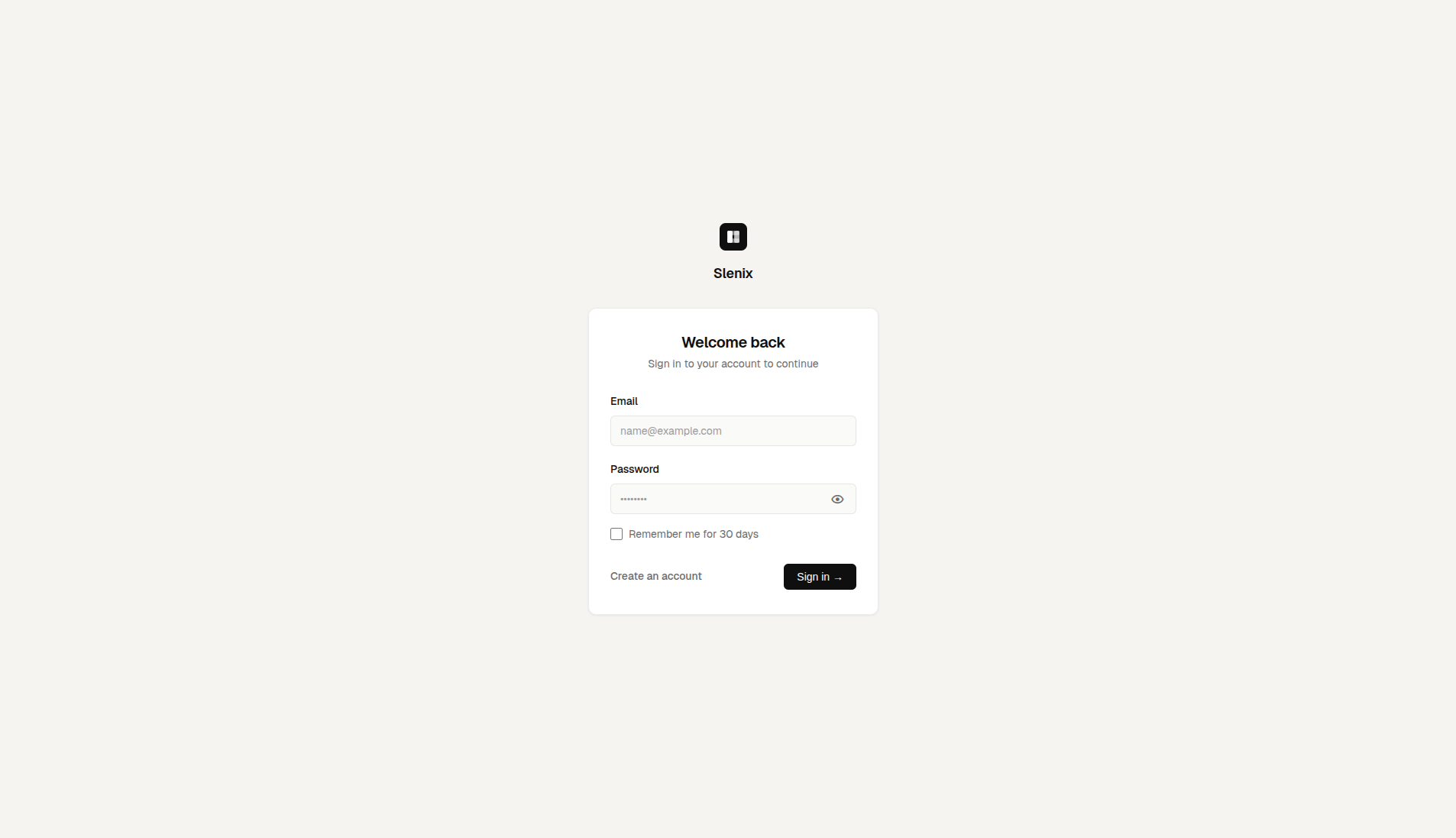
The login page at /login provides a clean email and password form with a remember-me option and validation error feedback.
Register
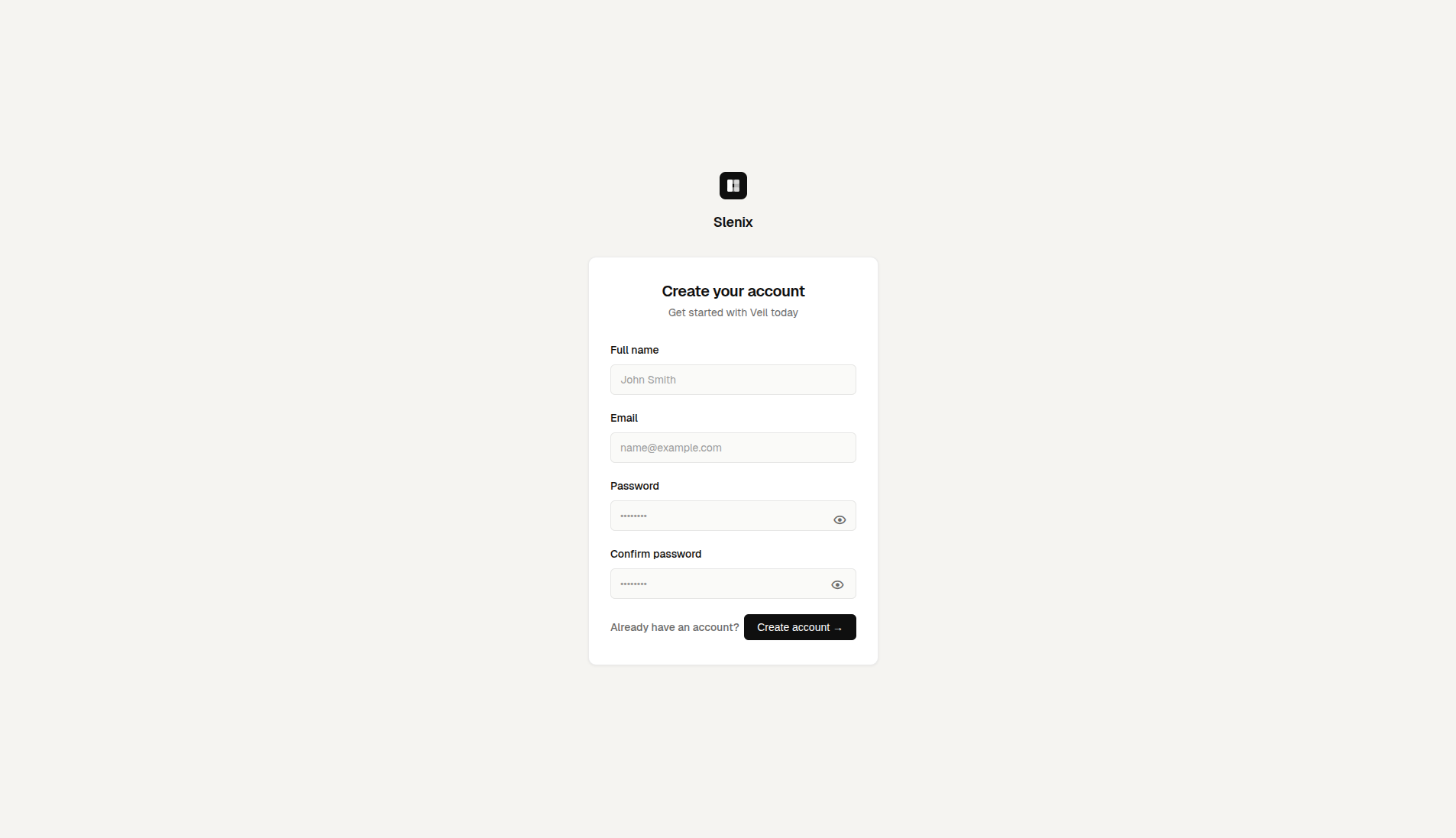
The registration page at /register includes fields for full name, email, password, and password confirmation, with server-side validation feedback rendered inline.
Dashboard
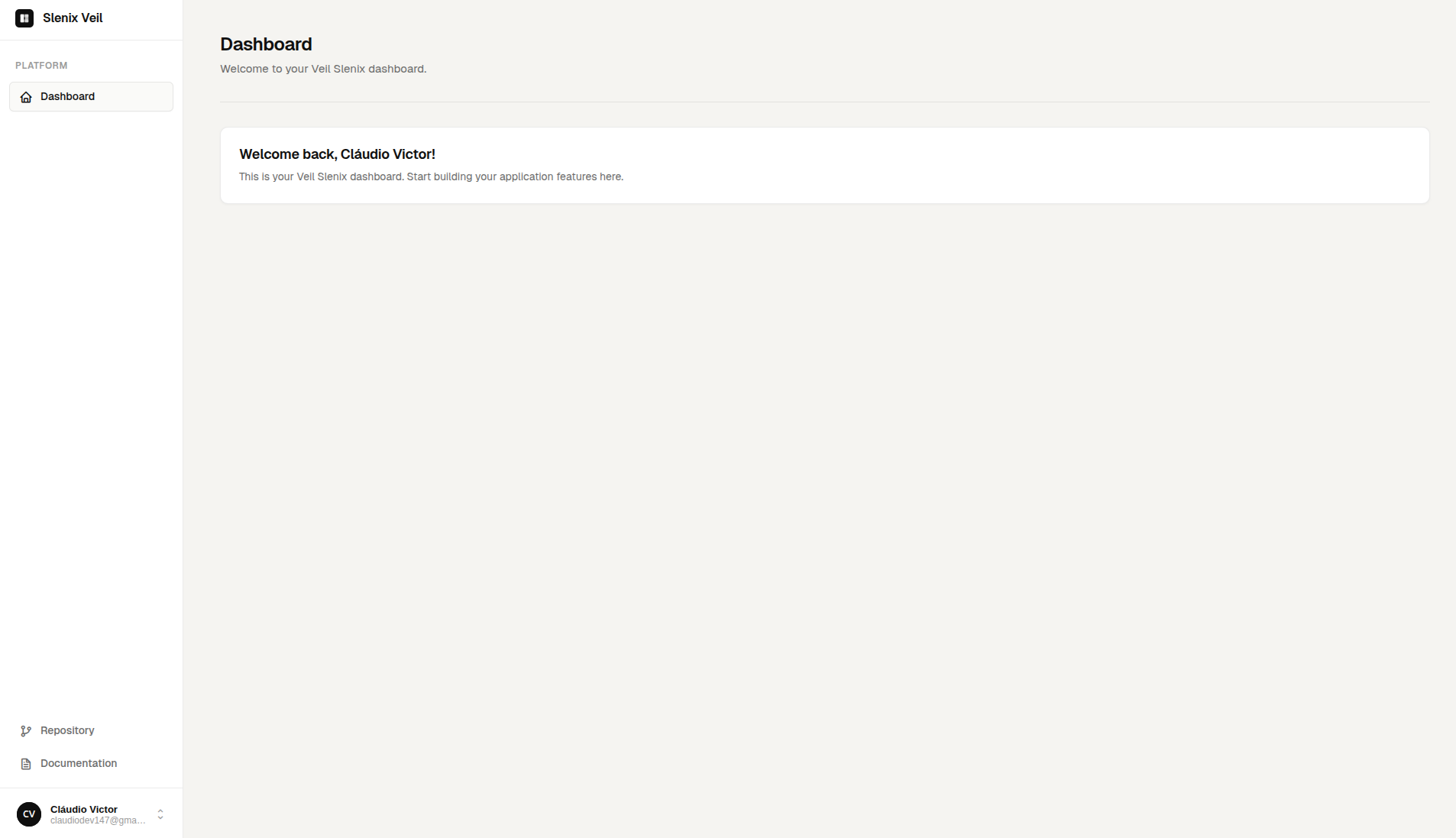
After a successful login, the user is redirected to /dashboard. The layout includes a responsive sidebar, user dropdown, and dark mode toggle.
Dark Mode
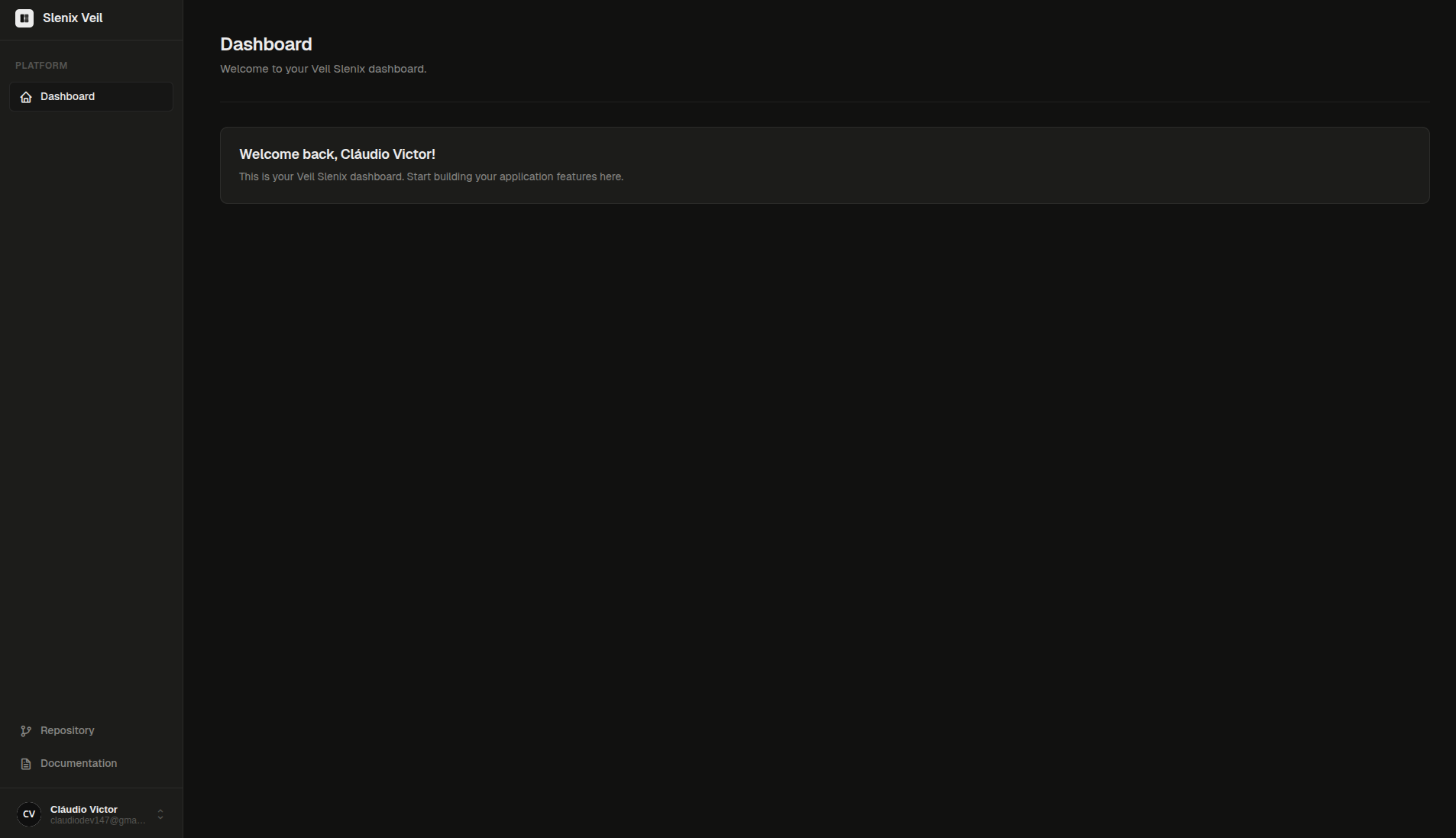
All generated views support dark mode out of the box. The theme is persisted in localStorage and toggled directly from the user dropdown in the sidebar.
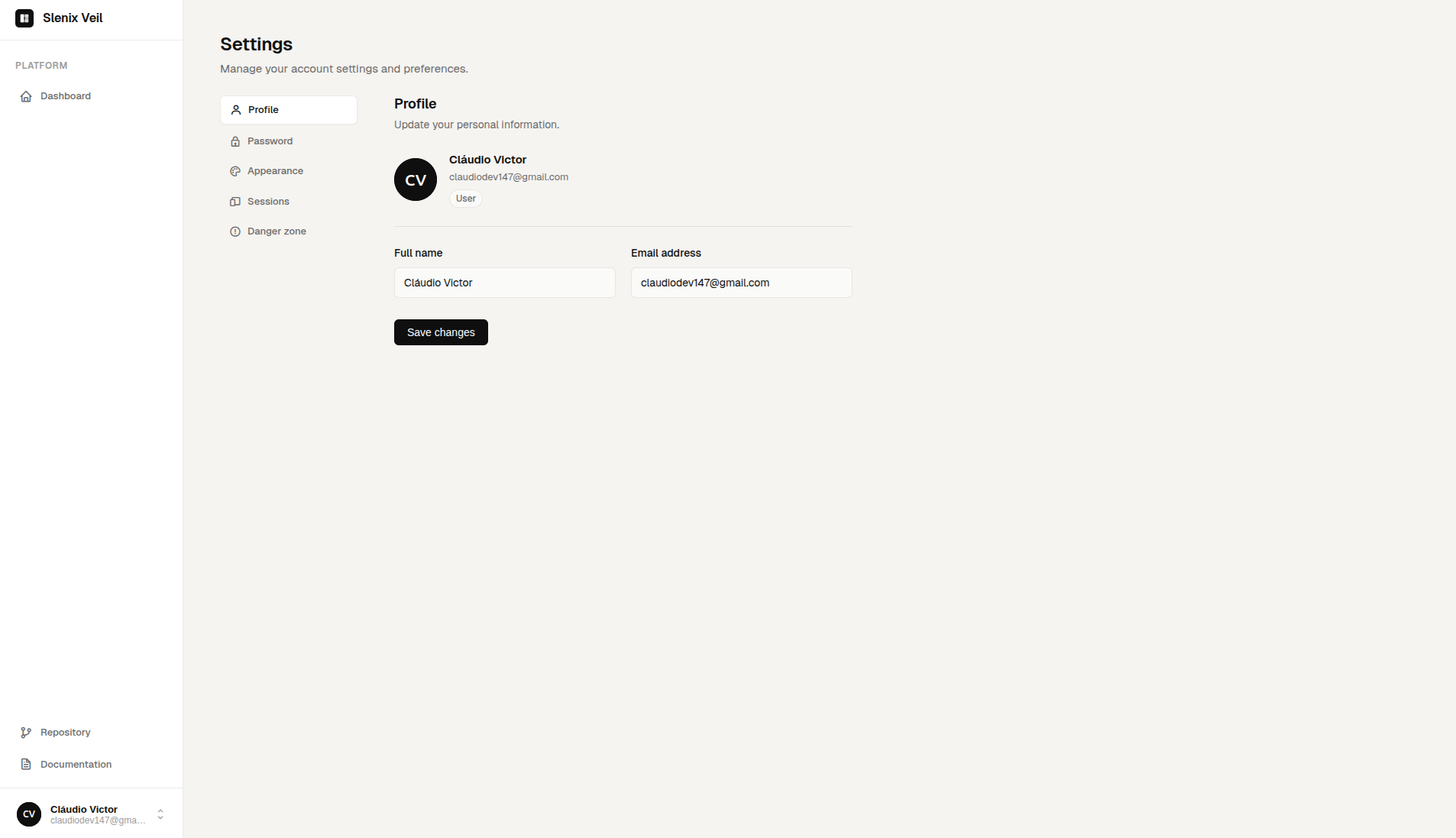
Settings
The settings page at /settings allows users to update their profile information, change their password, and permanently delete their account.
How It Works
Veil works entirely at install time. When you run veil:install, the Celestial CLI:
- Copies stubs for models, controllers, middlewares, and views into your project
- Publishes CSS assets to
public/css/ - Replaces the default
welcome.luna.phpwith Veil's landing page - Appends authentication routes to
routes/web.php, marked with// @veil-routesto prevent duplicate injection on re-install
From that point on, the package is no longer involved at runtime.
Routes
Veil appends the following routes to routes/web.php automatically. You can modify them freely after installation.
use App\Controllers\AuthController;
use App\Controllers\DashboardController;

// @veil-routes — generated by slenix/veil (do not remove this comment)

// Guest routes — only accessible to unauthenticated users
Router::group(['middleware' => ['guest']], function () {
    Router::get('/register', [AuthController::class, 'showRegister'])->name('show.register');
    Router::post('/sign-up/user', [AuthController::class, 'store'])->name('register');

    Router::get('/login', [AuthController::class, 'index'])->name('show.login');
    Router::post('/sign-in/user', [AuthController::class, 'login'])->name('login');
});

// Authenticated routes — require an active session
Router::group(['middleware' => ['auth']], function () {
    Router::get('/dashboard', [DashboardController::class, 'index'])->name('dashboard.show');
    Router::get('/settings',  [DashboardController::class, 'settings'])->name('settings.show');

    Router::post('/updated/user',     [AuthController::class, 'update'])->name('update.user');
    Router::post('/updated/password', [AuthController::class, 'updatedPassword'])->name('update.password');
    Router::post('/delete/user',      [AuthController::class, 'delete'])->name('delete.user');

    Router::get('/logout', [AuthController::class, 'logout'])->name('logout');
});

// @end-veil-routesMiddlewares
auth
Protects routes that require an active session. Unauthenticated requests are redirected to /login.
Router::group(['middleware' => ['auth']], function () {
    Router::get('/dashboard', [DashboardController::class, 'index'])->name('dashboard.show');
});guest
Restricts routes to unauthenticated users only. Authenticated users are redirected to /dashboard.
Router::group(['middleware' => ['guest']], function () {
    Router::get('/login', [AuthController::class, 'index'])->name('show.login');
});AuthController
The AuthController handles all authentication flows. After Veil publishes it to app/Controllers/AuthController.php, you own it entirely and can customise every method.
| Method | HTTP | Route | Description |
|---|---|---|---|
index() | GET | /login | Renders the login view. |
login() | POST | /sign-in/user | Validates credentials and starts a session. Supports remember-me. |
showRegister() | GET | /register | Renders the registration view. |
store() | POST | /sign-up/user | Validates input, creates the user, and logs them in automatically. |
update() | POST | /updated/user | Updates the authenticated user's name and email. |
updatedPassword() | POST | /updated/password | Verifies the current password then applies the new one. |
delete() | POST | /delete/user | Permanently deletes the account after explicit text confirmation. |
logout() | GET | /logout | Destroys the session and redirects to /login. |
Validation
All inputs are sanitised with Str::escape() before any validation step. The first failing rule aborts the request and redirects back with a flash error message.
Login
| Step | Rule |
|---|---|
| 1 | Email and password must not be empty. |
| 2 | An account with the given email must exist. |
| 3 | The password must match the stored hash. |
Register
| Step | Rule |
|---|---|
| 1 | All fields are required. |
| 2 | Full name must include a first and last name. |
| 3 | Email must be a valid address format. |
| 4 | Password must be at least 8 characters. |
| 5 | Password and confirmation must match. |
| 6 | Email must not already be registered. |
Update Profile
| Step | Rule |
|---|---|
| 1 | All fields are required. |
| 2 | The submitted user_id must match auth()->user()->id. |
Change Password
| Step | Rule |
|---|---|
| 1 | All fields are required. |
| 2 | The submitted user_id must match auth()->user()->id. |
| 3 | The current password must match the stored hash. |
| 4 | New password must be at least 8 characters. |
| 5 | New password and confirmation must match. |
Delete Account
| Step | Rule |
|---|---|
| 1 | Both user_id and text are required. |
| 2 | The submitted user_id must match auth()->user()->id. |
| 3 | The text field must equal exactly "delete" (case-sensitive). |
Shell Layout
The layouts/app.luna.php view is the authenticated shell used by the dashboard and settings pages. Child views extend it like this:
@extends('layouts.app')

@section('title', 'Dashboard')

@section('content')
    {{-- page content here --}}
@endsection

@push('styles')
    {{-- per-page styles --}}
@endpush

@push('scripts')
    {{-- per-page scripts --}}
@endpush
The layout provides a responsive sidebar, a mobile off-canvas drawer, a user pill with dropdown (profile, settings, theme switcher, logout), and @yield('content') for child content. The active theme is persisted in localStorage under slenix-theme and applied before the first paint to prevent flash.
Component System
The public/css/style.css published by Veil is the full Slenix component stylesheet. Use these classes inside your Luna views to build consistent UIs across the authenticated area.
Buttons
<button class="btn">Default</button>
<button class="btn btn-primary">Primary</button>
<button class="btn btn-secondary">Secondary</button>
<button class="btn btn-danger">Danger</button>
<button class="btn btn-ghost">Ghost</button>
<button class="btn btn-outline">Outline</button>
<button class="btn btn-sm">Small</button>
<button class="btn btn-lg">Large</button>
<button class="btn btn-full">Full Width</button>
<button class="btn btn-icon"><i class='bx bx-cog'></i></button>Forms & Inputs
<!-- Simple input -->
<div class="form-group">
    <label class="form-label">Email</label>
    <input type="email" class="form-input" placeholder="name@example.com">
    <span class="form-hint">We'll never share your email.</span>
    <span class="form-error">This field is required.</span>
</div>

<!-- Input with icon -->
<div class="input-group">
    <i class='bx bx-envelope'></i>
    <input type="email" class="form-input" placeholder="name@example.com">
</div>

<!-- Select -->
<select class="form-input form-select">
    <option>Option 1</option>
    <option>Option 2</option>
</select>

<!-- Checkbox -->
<div class="form-check">
    <input type="checkbox" id="remember" class="form-check-input">
    <label for="remember" class="form-check-label">Remember me</label>
</div>Cards
<div class="card">
    <div class="card-header">
        <h3 class="card-title">Card Title</h3>
        <p class="card-description">Subtitle or description.</p>
    </div>
    <div class="card-body">
        <!-- content -->
    </div>
    <div class="card-footer justify-end gap-2">
        <button class="btn btn-ghost btn-sm">Cancel</button>
        <button class="btn btn-primary btn-sm">Save</button>
    </div>
</div>Alerts
<div class="alert">Default informational alert.</div>
<div class="alert alert-success"><i class='bx bx-check-circle'></i> Operation completed.</div>
<div class="alert alert-error"><i class='bx bx-error-circle'></i> Something went wrong.</div>
<div class="alert alert-warning"><i class='bx bx-error'></i> Please review your input.</div>
<div class="alert alert-info"><i class='bx bx-info-circle'></i> Heads up.</div>Tables
<div class="table-wrapper">
    <table class="table">
        <thead>
            <tr>
                <th>Name</th>
                <th>Role</th>
                <th>Status</th>
            </tr>
        </thead>
        <tbody>
            <tr>
                <td>John Doe</td>
                <td>Admin</td>
                <td><span class="badge badge-success">Active</span></td>
            </tr>
        </tbody>
    </table>
</div>
Available table modifiers: table-striped, table-sm.
Badges
<span class="badge badge-default">Default</span>
<span class="badge badge-success">Active</span>
<span class="badge badge-danger">Error</span>
<span class="badge badge-warning">Pending</span>
<span class="badge badge-info">Info</span>Avatars
<div class="avatar avatar-sm">JD</div>
<div class="avatar">JD</div>
<div class="avatar avatar-lg">JD</div>
<div class="avatar avatar-xl">JD</div>Empty State & Spinner
<div class="empty-state">
    <i class='bx bx-folder-open empty-state-icon'></i>
    <h3 class="empty-state-title">No records found</h3>
    <p class="empty-state-desc">Get started by creating a new entry.</p>
    <button class="btn btn-primary btn-sm mt-4">Create</button>
</div>

<div class="spinner spinner-sm"></div>
<div class="spinner"></div>
<div class="spinner spinner-lg"></div>Progress & Dividers
<!-- Progress bar -->
<div class="progress">
    <div class="progress-bar" style="width: 75%"></div>
</div>

<!-- Dividers -->
<div class="divider"></div>
<div class="divider-text">OR CONTINUE WITH</div>Security Vulnerabilities
If you discover a security vulnerability within Veil, please report it responsibly by opening a private issue or contacting the maintainers directly. Do not disclose vulnerabilities publicly until they have been addressed.